❌

Reading view

macOS 27 requires Apple Silicon, as Apple draws down the Intel Mac era

As Apple announced last year, this year's macOS release will end support for Intel Macs. The macOS 27 Golden Gate release will require a Mac with an Apple Silicon chip inside, including the original M1 that launched in the MacBook Air, MacBook Pro, and Mac mini back in late 2020.

Intel Macs running macOS 26 Tahoe can expect security and Safari patches for about two more years after the release of macOS 27 Golden Gate. Macs running macOS 15 Sequoia will receive one more year of updates. Apple Silicon Macs will still be able to run Intel Mac apps via the Rosetta 2 compatibility layer in macOS 27, but future releases will begin to limit the technology (Apple has said it will mainly be used to support older games that still use Intel code).

This change has been a long time coming, and every new macOS release has left a longer and longer list of Intel Macs behind. But many Mac owners who purchased late-model Intel machines in 2019 and 2020 could still run the latest version of the operating system, and third-party utilities like the OpenCore Legacy Patcher helped more adventurous Mac owners use their unsupported hardware a bit longer.
Read full article

Comments

Β© Apple

  •  

iOS 27 and iPadOS 27 don't drop support for any iPhonesβ€”and just a few iPads

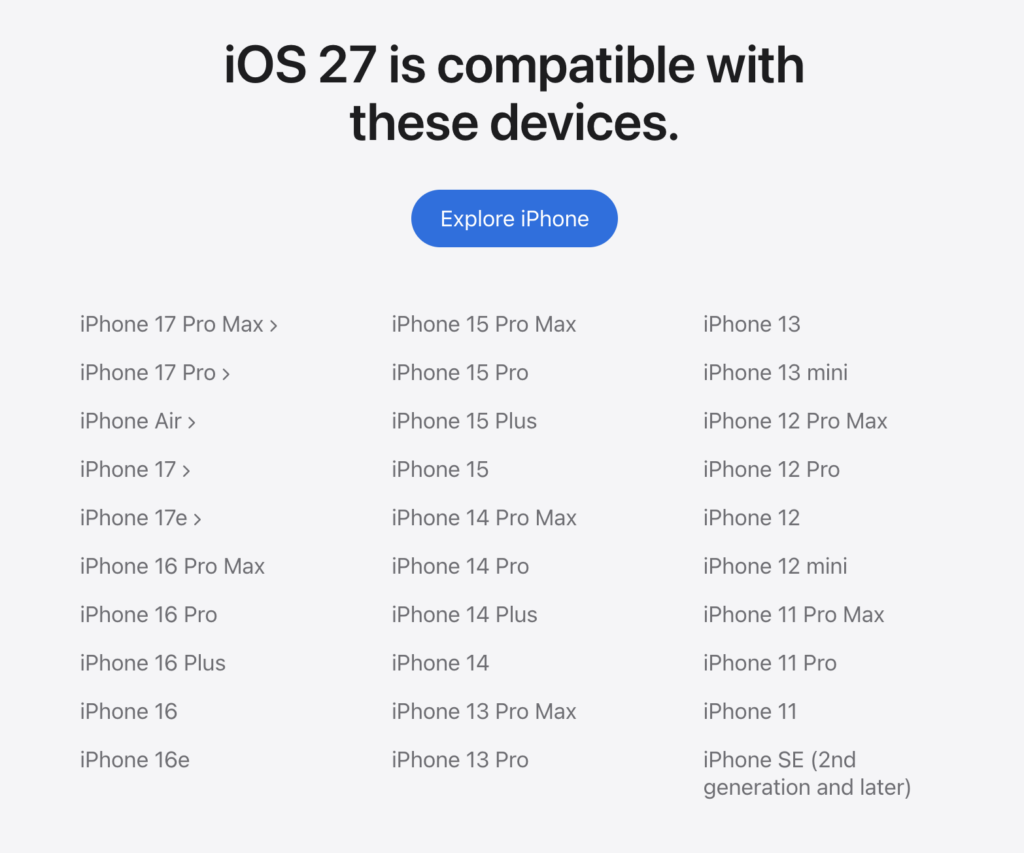
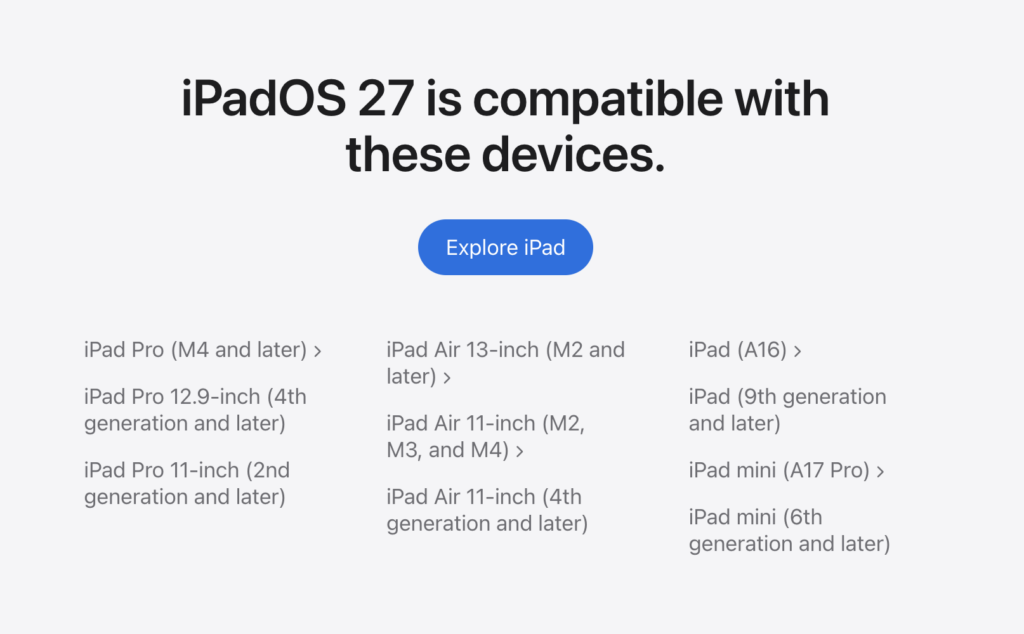
If you're using older iPhone or iPad hardware and you're hoping to keep running Apple's latest operating systems, this year's releases bring mostly good news. The iOS 27 update will run on all iPhones that can run iOS 26, all the way back to the iPhone 11 and second-generation iPhone SE. The iPadOS 27 update is slightly less generous, dropping support for the 3rd-generation iPad Air, 8th-generation iPad, and 5th-generation iPad mini (all of these devices used an older A12 Bionic chip; supported devices now use an A13 or better).

Apple says owners of older devices should see performance improvements in iOS 27, thanks in part to an updated CPU scheduler. This scheduler was apparently already included with newer iPhones but has been ported back to older devices with this release.

Apple's iOS 27 compatibility list. Credit: Apple
Apple's iPadOS 27 compatibility list. Credit: Apple

But many of the new features Apple mentioned require support for Apple Intelligence, which remains confined to newer devices with at least 8GB of RAM. Apple Intelligence still requires an iPhone 15 Pro or newer, an iPhone 16 or newer, or an iPhone Air. On the iPad, support requires an iPad Air or iPad Pro with an M1 or newer.

Read full article

Comments

Β© Apple

  •  

Apple's iOS 27, macOS 27 Golden Gate, and other updates focus on refinement

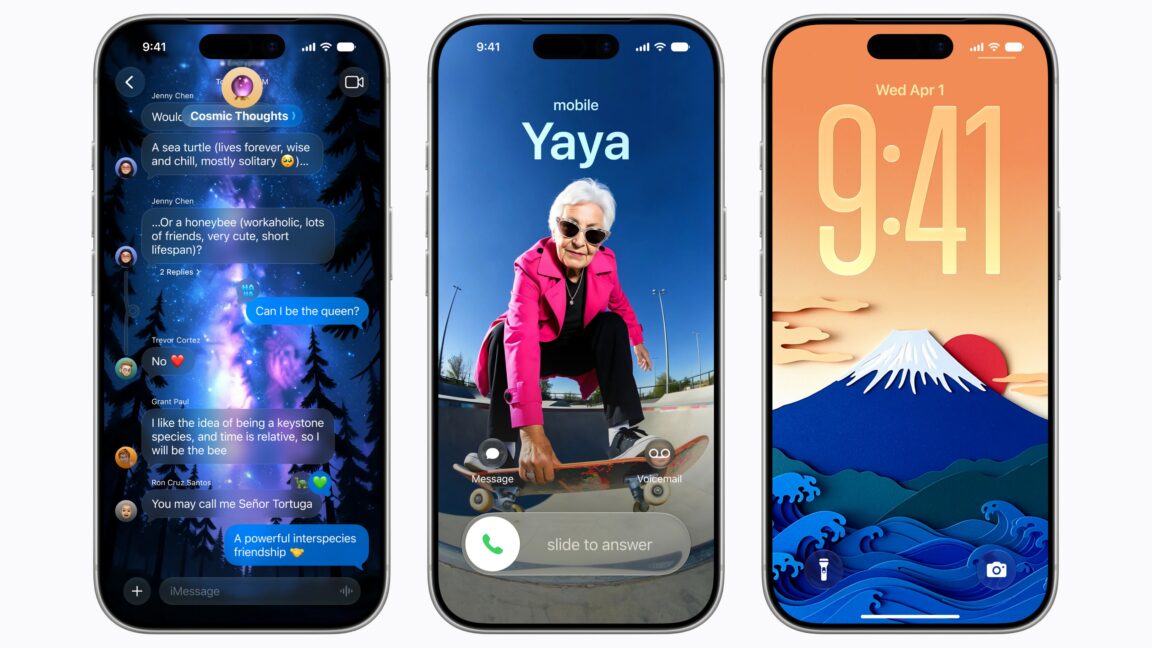
Apple has taken the wraps off of its next-generation operating system updates at its Worldwide Developers Conference today, including iOS 27, iPadOS 27, and macOS 27 Golden Gate. And while the long-awaited Siri AI update is the headliner, Apple also emphasized its efforts to optimize its software, improving its performance and reliability.

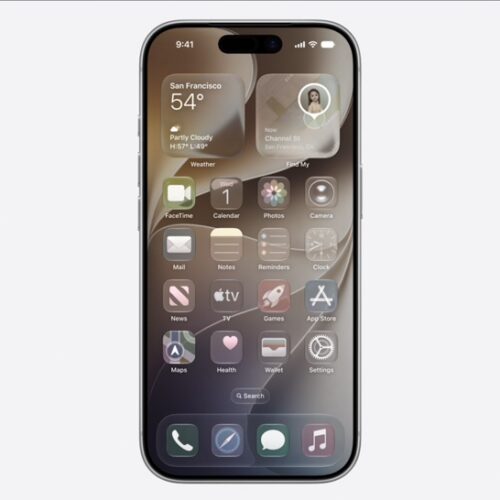
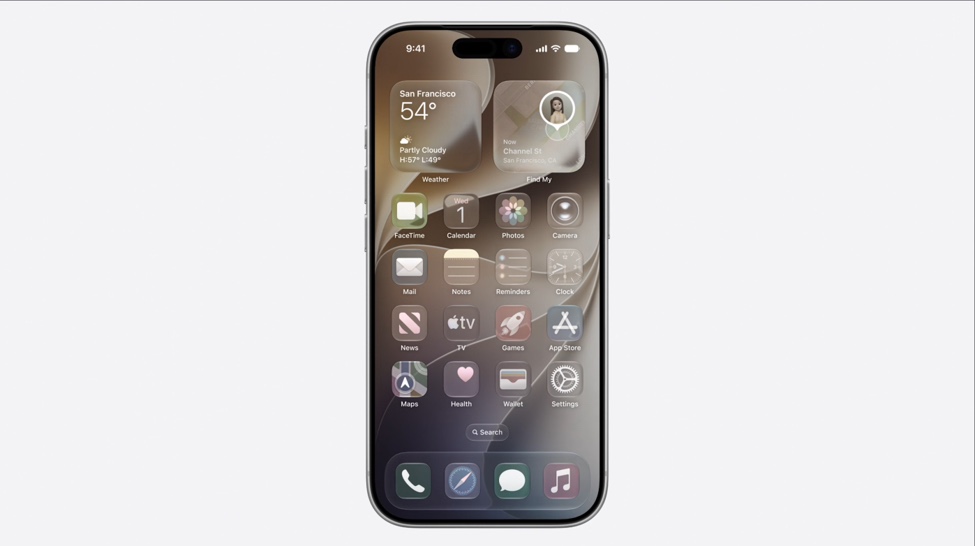
For starters, the company is continuing to refine the Liquid Glass design language that it introduced last year. A slider in the Settings will allow users fine-grained control over the translucency of the Liquid Glass effect, ranging from maximally transparent and glassy to fully tinted. Last year's redesigned icons are also being re-redesigned with more glass layers, which Apple says will make them sharper and more distinctive.

On macOS, Apple has also changed the way app toolbars and sidebars work, making toolbars more distinct, making the contents of sidebars extend all the way to the edge of the window, and reintroducing color to sidebar icons. Mac windows are also getting a "tighter corner radius," to address complaints about the way window resizing works in macOS 26 Tahoe.

Read full article

Comments

Β© Apple

  •  
❌